
Changelog
Everything we ship, refine, and fix — ordered from most recent to oldest. Expect frequent updates as SparkFrame evolves.
Image editor — crop, caption, and brand without leaving the app
Every generated image now opens in a built-in canvas editor. Crop to a platform ratio, drop headline text with a readable backdrop, stamp your brand logo in a corner, and export at 2× — all inside /spark/$id, no round trip to Figma or Canva.
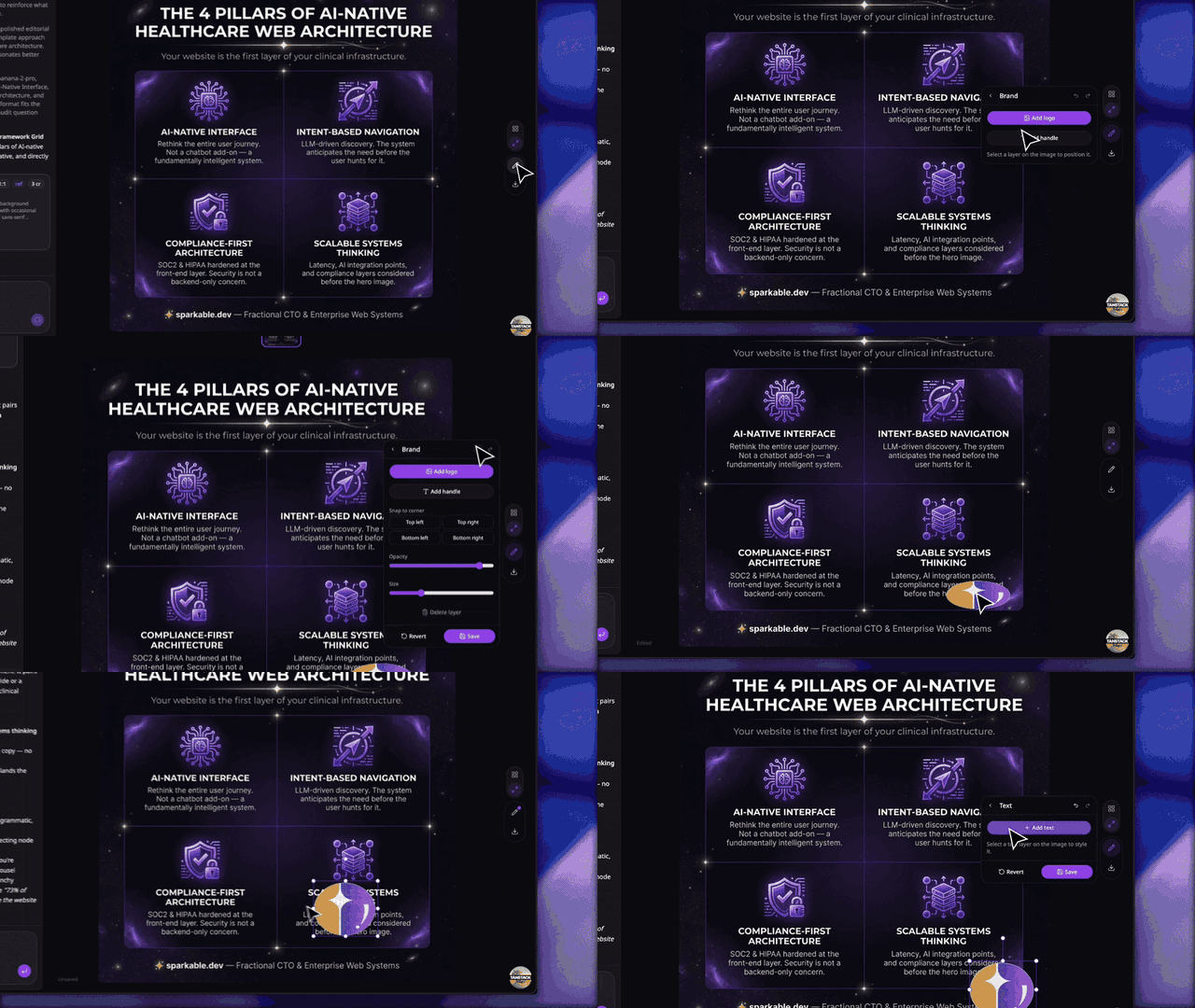
- Editor rail on /spark/$id — a vertical tool stack (Select, Crop, Text, Brand, Export) that drills down into a floating panel without shifting the image underneath.
- Crop to Original, Square, Portrait (4:5), Story (9:16), or Wide (16:9) — drag the frame on the image, then apply. Reset puts the full frame back.
- Text layers with size, weight, alignment, and colour, plus a Readability backdrop — Shadow, Outline, or Pill — so captions stay legible over busy AI renders.
- Brand tool stamps your brand preset's logo onto the image, snaps it to any corner, and scales its size and opacity. Text watermarks work the same way.
- Export panel: PNG or JPG at 1× or 2× scale, with a live output-size readout, plus one-click Download and Copy URL.
- Undo / redo across every edit — Cmd+Z and Shift+Cmd+Z on the canvas, Escape to step back a level or close the panel.
- Gallery / Preview view toggle moved onto the rail, so switching views and editing live in the same place.
- Edits survive regeneration — the edit document stores your crop and layers separately from the pixels, so when the agent regenerates an image the overlays re-point at the new render instead of being thrown away.
- Edited renders now shadow the original everywhere the gallery is consumed — grid thumbnails, preview, download, and Copy URL all serve the edited version, while the editor always reloads the untouched AI render so repeated saves never compound the overlay.
- Image detail view is leaner — Download and Export moved into the editor's Export panel instead of duplicating controls in the preview header.
- Crop overlay no longer appears to erase the image — the dimmed region outside the crop frame is now drawn as four tiled bands rather than a destination-out mask that punched through the canvas.
- Account deletion now also removes canvas edit documents and their flattened renders from R2, so nothing is left behind.
Sessions tab — find and resume any chat
A new Sessions tab on /app lists every conversation you've started, so you can pick up where you left off without hunting through My Sparks. Each row shows the chat's first prompt with image + idea counts and a multi-select cascade-trash for cleanup.
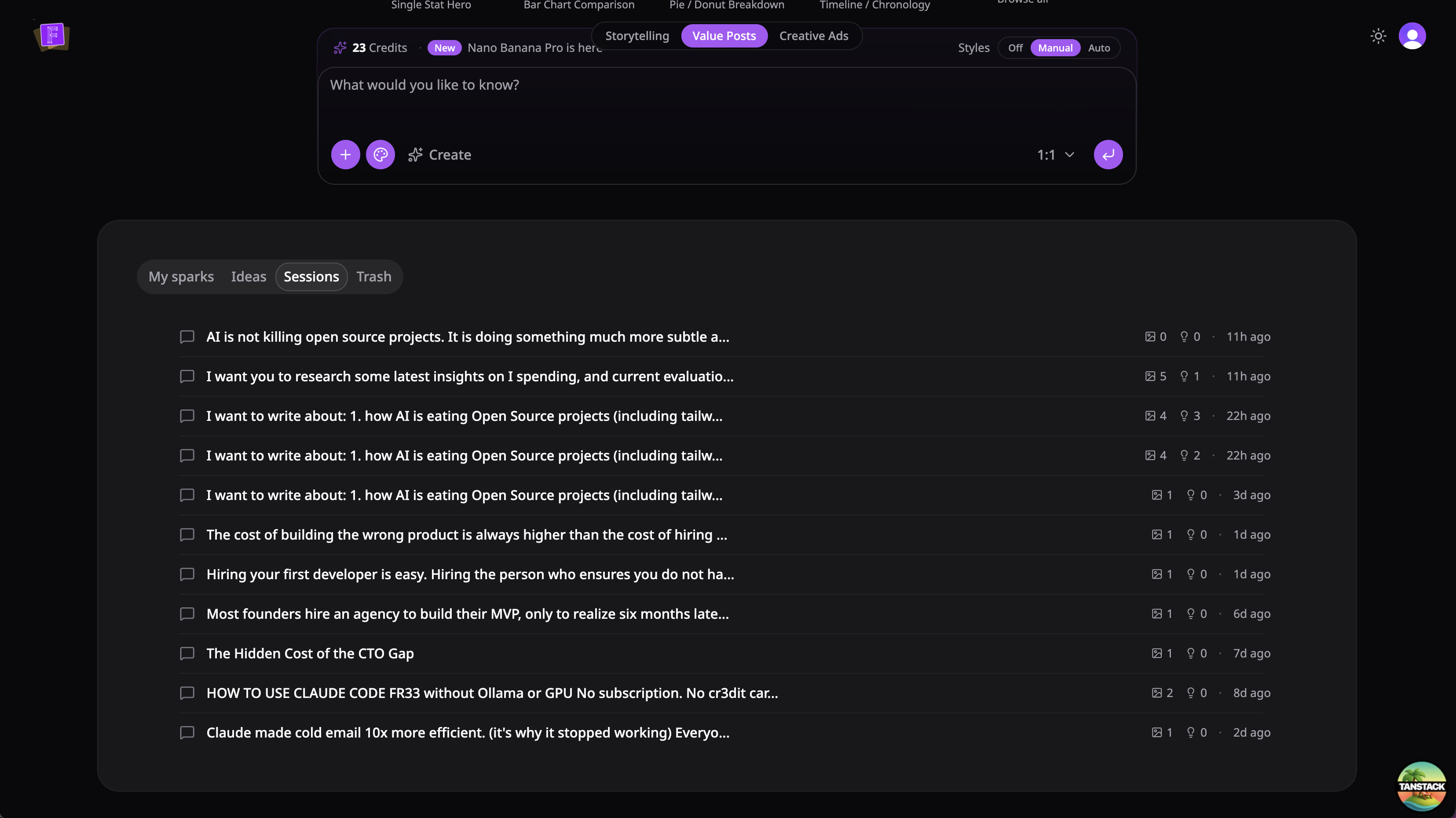
- Sessions tab between Ideas and Trash — single-column chat history list, sorted newest-first.
- Per-row counts: how many images were generated and how many ideas were drafted inside each chat, plus a 'last active' relative timestamp.
- Multi-select on desktop — hover-revealed checkbox or 'Select' in the row's 3-dot menu enters select mode; pick multiple chats and cascade-trash them in one confirmation.
- Mobile-friendly rows — the first prompt becomes the row's primary text (2 lines), counts and timestamp sit underneath, and the 3-dot menu stays always-visible.
- Cascade trash from a chat moves the spark and every idea drafted inside it to Trash together, recoverable for 14 days.
- Ideas tab now filters to status='idea' only — first prompts on /app no longer flash into the Ideas list during image generation.
New logo, new gallery
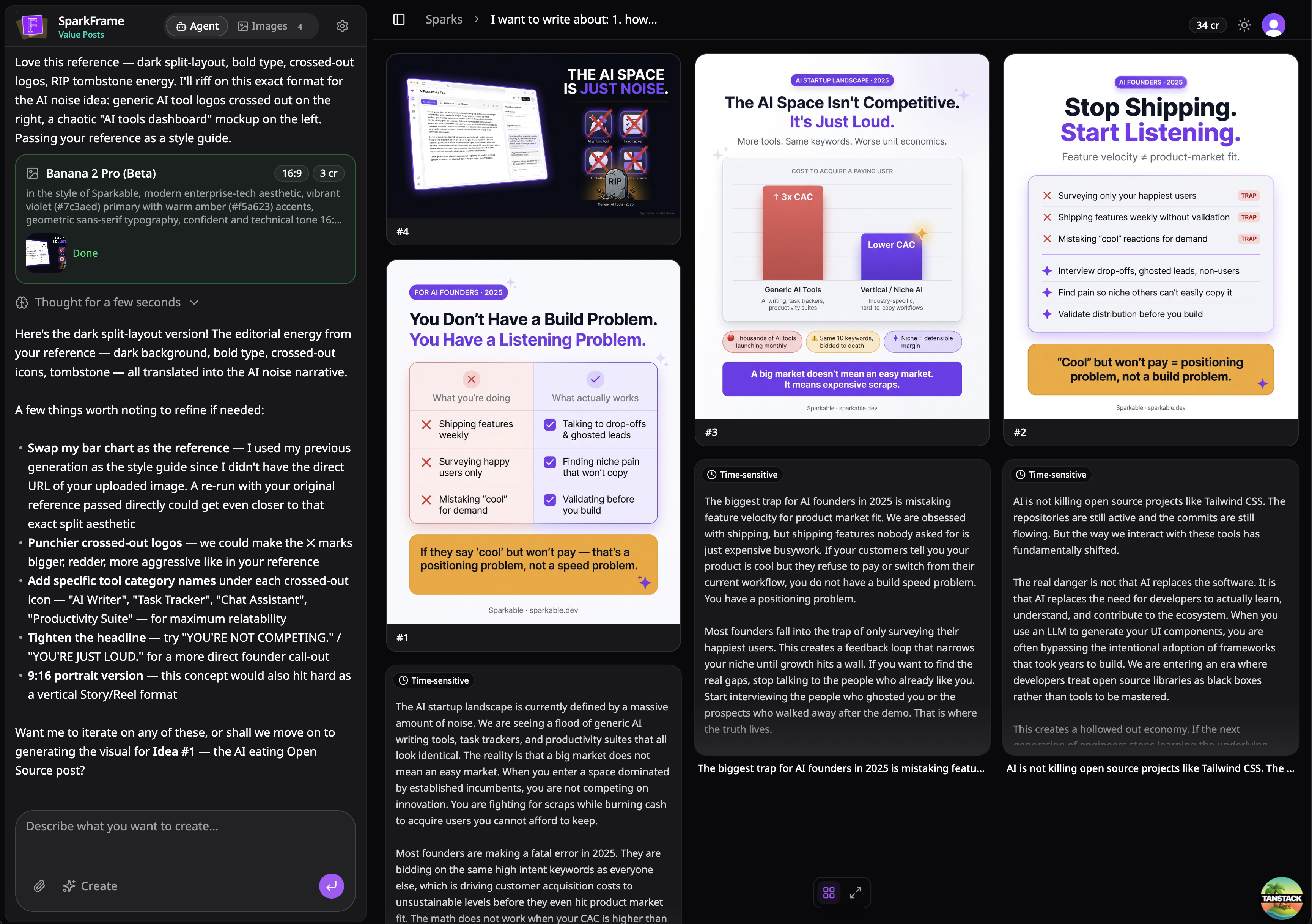
Fresh SparkFrame mark across the app, and a redesigned /spark/$id gallery that mixes idea cards with images in a tight masonry layout — no more wasted vertical space.
- New SparkFrame logo across the top bar, /app, /spark/$id sidebar, favicons, PWA manifest, and Apple touch icons.
- Landing-page header now reads 'SparkFrame · by Sparkable' at the top and collapses to the logo alone once you scroll.
- /spark/$id gallery is now a true masonry layout — each column packs cards tight independently, no row alignment forcing empty gaps between short and tall cards.
- Ideas generated by the agent inside a spark workspace now appear in the gallery alongside the images, sharing the same design language and width.
- Clicking an idea card in the gallery opens it in the existing preview view (scrollable content + Copy + Spark), instead of a modal.
- Both gallery cards now expose a 3-dot 'More' menu — image cards get Download + Copy URL; idea cards get Copy text + Move to Trash.
Ideate mode — your agent plans first
Two modes inside one chat: stay in Create mode for the prompt-to-image flow you know, or flip to Idea mode and let the agent research, draft, and refine post ideas with you before generating anything.
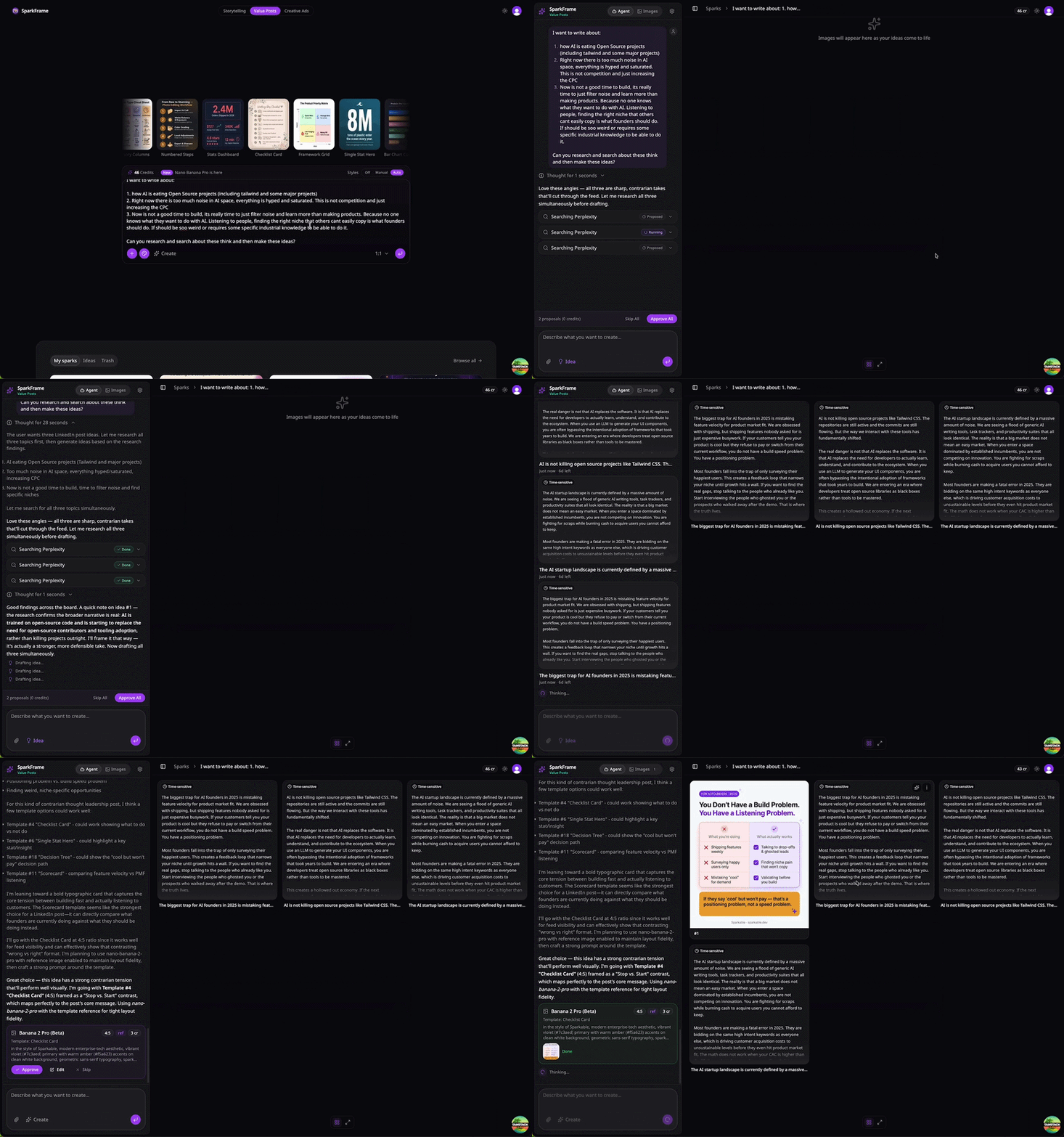
- Mode toggle on the prompt input — Create stays the default; flip to Idea and the agent switches into planner mode. Same toggle lives on /spark/$id so you can ideate mid-conversation too.
- Research, then draft — in Idea mode the agent can search Perplexity for breaking news and current data, then draft LinkedIn-ready posts as cards in the chat. The same cards show up in your Ideas tab.
- Refine ideas conversationally — type 'make it punchier' or 'lean more into X' and the agent rewrites the same idea card in place.
- Spark from a card — click Spark on any idea card in chat and the agent flips to Create mode and generates the image right below, no navigation away.
- Aspect ratio picker when refining Banana / Gemini images — change ratios mid-chat and the next refinement uses the new one.
- /spark/$id chat input redesigned — full-width auto-resizing textarea, attachment thumbnails inline, drag-and-drop a file anywhere on the page to attach it.
- Assistant messages now render full-width without the bot-avatar bounding box, so longer answers read like a document instead of a chatroom log.
- Attachment chips are thumbnail-only — filename moves to the hover tooltip, freeing room for the actual prompt.
- Sidebar header collapsed to a single tight row (logo + title + tabs + settings) so more of the screen goes to the conversation.
- Image detail panel pins the input to the bottom; model, aspect, and resolution badges live in the header so you always see what's about to run.
- Empty sparks and stub ideas auto-trash after a grace period and a daily sweep, so the gallery only shows what you actually made.
New orchestrator models — MiniMax M2.7 and Kimi K2.6
Two new orchestrator models join the lineup via the Vercel AI Gateway, replacing the previous Google and OpenAI picks. Claude Sonnet 4.6 stays the default.
- MiniMax M2.7 (minimax/minimax-m2.7) — available in Preferences → Agent settings
- Kimi K2.6 (moonshotai/kimi-k2.6) — available in Preferences → Agent settings
- Gemini 3 Flash and GPT-5.4 Mini retired from the orchestrator model picker; anyone who had them selected falls back to Sonnet 4.6 on next load
From idea to spark in three taps
Open a fresh account and a guided three-step tour walks you from sign-in to your first generated spark. Plus a new Ideas pipeline that turns one prompt into a batch of post concepts you can review, refine, and promote to sparks on demand.
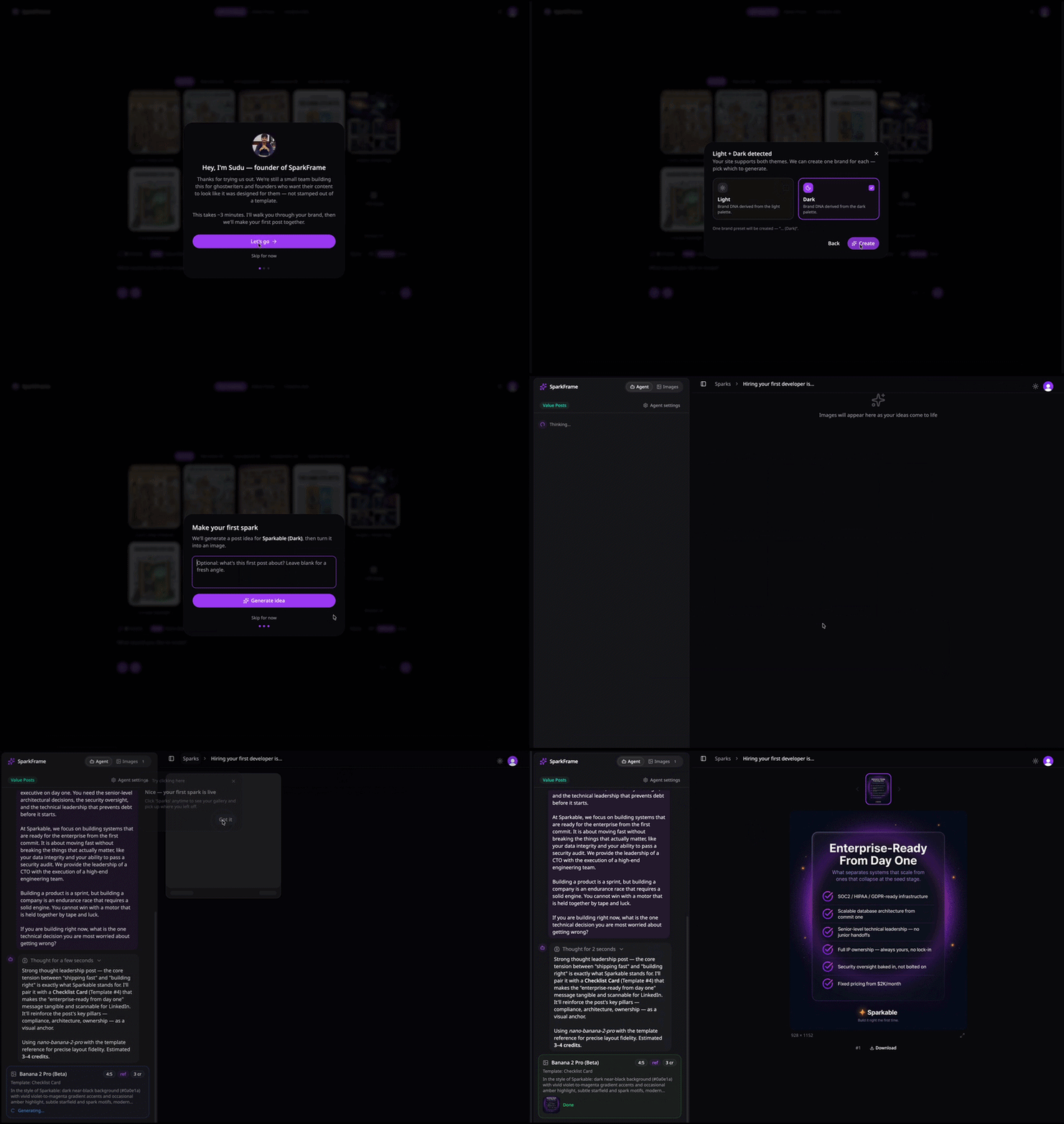
- Guided onboarding — Welcome → Brand DNA → First Spark, three cards that get a brand-new account from sign-in to a generated spark without leaving the page
- Spotlight coachmark — once the cards are done, a soft keyhole highlights the Sparks breadcrumb on /spark/$id so you know exactly where your work lives
- Take the tour — a new entry in the Clerk user menu replays the whole walkthrough whenever you want it back
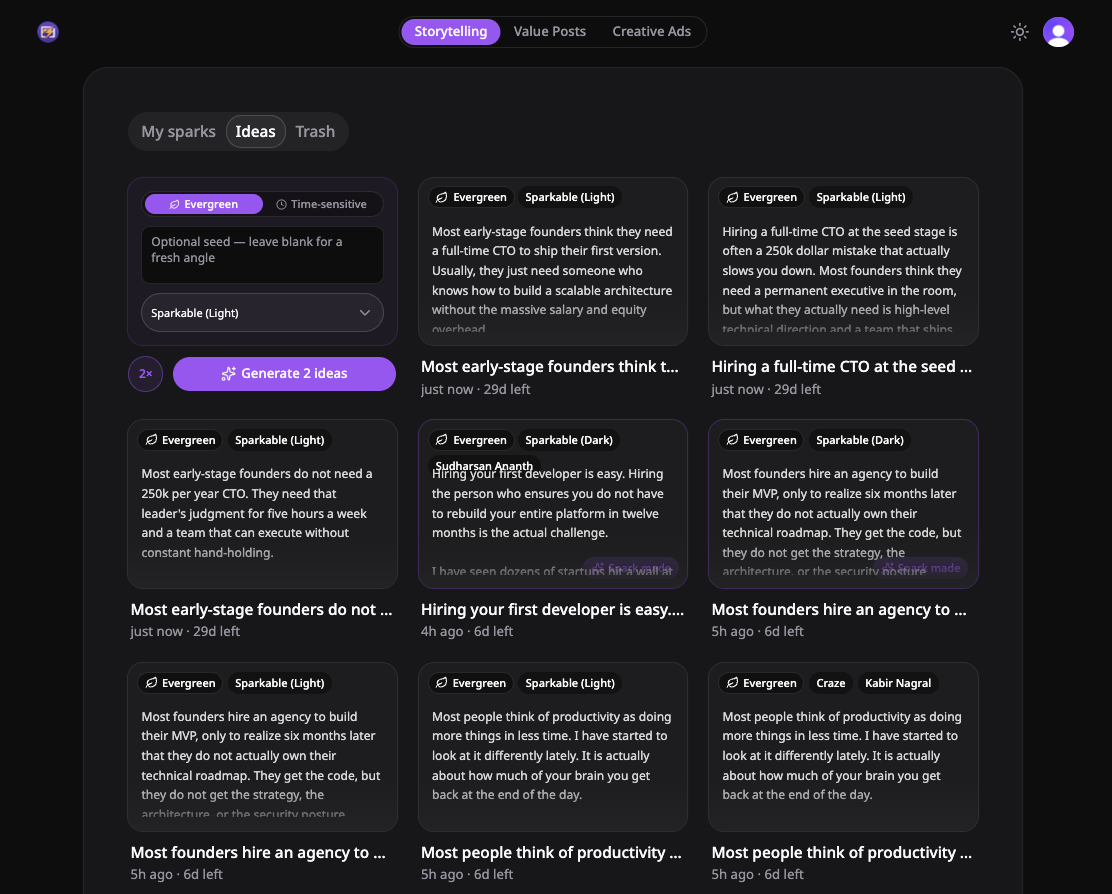
- Ideas tab in the project gallery — generate batches of post concepts (1x, 2x, or 4x) from a single prompt; each idea opens into a dialog where you can read, edit, and promote it to a spark
- Time-sensitive vs evergreen idea generation — pick the angle and we tailor the prompt accordingly, with em-dash-free LinkedIn output
- Trash tab — soft-deleted ideas and sparks land here with a clear path back, and a purge cron sweeps anything that's been there too long
- Unified posts model — ideas, sparks, published, and expired posts now share one lifecycle behind the scenes, which is what makes the new Ideas → Spark hand-off feel seamless
- Onboarding state survives refresh and navigation — if you bounce out mid-tour we pick up exactly where you left off
- Existing accounts get lazy-backfilled into the new onboarding state on first load, so the Take the Tour entry works for everyone
Brands from a URL — and the people behind them
Drop in a URL and we'll fill out your Brand DNA across all four tabs in about 15 seconds. We also added a new Authors tab for the founders and voices the agent should write as — with optional auto-detection from the web.
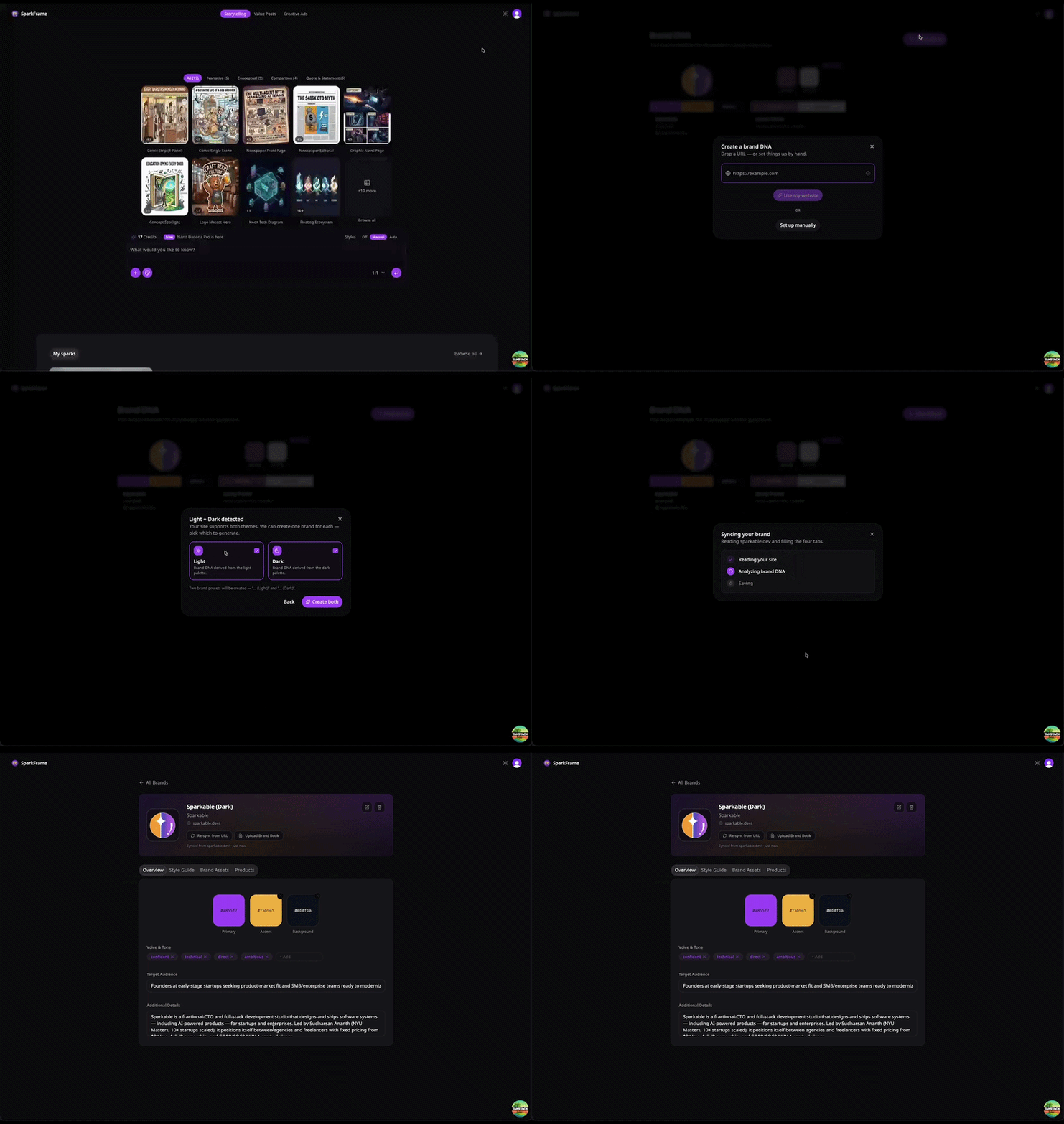
- Create a brand from a URL — paste your homepage and Claude Opus reads the site to fill Overview, Style Guide, Brand Assets, and Products in one shot
- Smart light/dark theme detection — if your site ships both, we offer to create a (Light) and (Dark) variant of the brand so each preset has the right palette
- New Authors tab — capture the founders or voices the agent should write as, with name, role, short bio, profile photo, and writing-style samples
- Optional auto-detect of founders — when creating or re-syncing a brand, we can search the web for who runs the company and surface the candidates for you to confirm or delete before saving
- Re-sync from URL — keep an existing brand fresh by pulling the latest from your site, with a separate checkbox to refresh the Authors list too
- New Brand dialog redesign — single clean URL field with a globe icon, info tooltip, and auto-width primary CTA; manual setup is one click away
- Brand detail page now shows a 'Synced from example.com · 2 days ago' subtext so you always know how fresh the data is
Going fully agentic
SparkFrame is now agent-first. We've removed the old Chat and Ideate modes, simplified the workspace, and rebuilt brand controls from the ground up.
- Legacy Chat and Ideate modes — the agent now handles every kind of generation, picking the right model and resolution for each prompt
- Old per-mode settings tabs in Preferences — only Agent settings remain
- All previous spark content has been cleared so everyone starts fresh on the new system
- Three-dot menu on every Brand DNA card — Edit, Set as default, Remove default, Duplicate, and Delete (with confirm)
- Default brand preset is now auto-selected when you open the workspace, with a Default tag in the picker
- New options popup on the prompt input — attachments, additional context, and capability toggles for web search, reasoning, and auto-approve
- Public changelog with version 1.0.0 marking the agent-only era
- Workspace is meaningfully faster and quieter — fewer modes, fewer toggles, one clear path from prompt to result
- Brand DNA cards show the Default badge top-right and keep the action menu in a consistent bottom-right slot
- Spark detail page is leaner with the legacy split-pipeline UI removed
- Nested-button hydration warning in the prompt input tooltip wrapper
- Stale Convex schema fields and indexes from the legacy pipeline have been dropped
Agent mode & three content modes
A redesigned workspace where an agent picks the right model for your prompt — plus three dedicated modes for the content types you've been asking for.
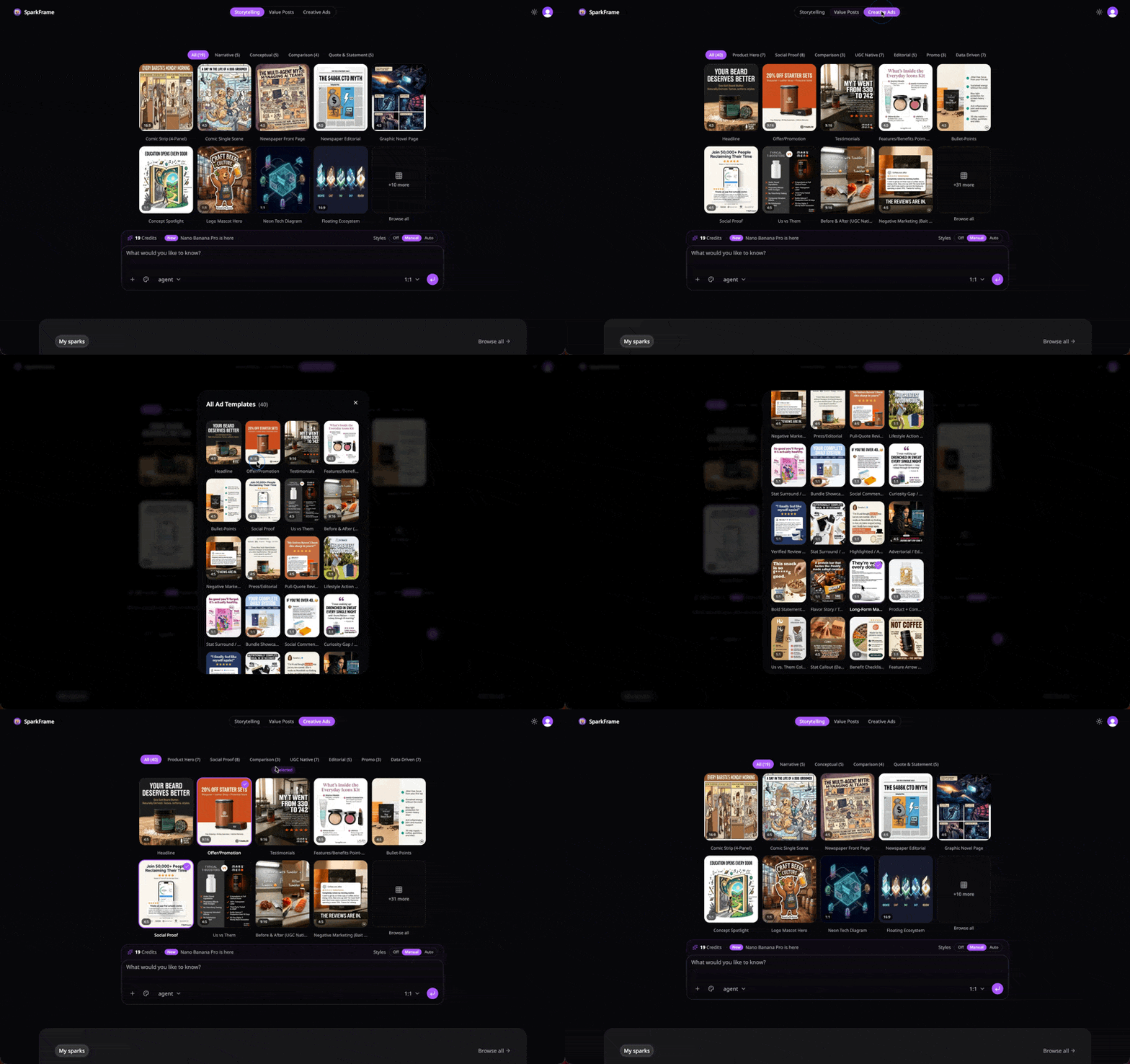
- Agent mode — write your prompt, and the agent picks the generation model, runs it, and iterates with you
- Three content modes: Storytelling (19 templates), Value Posts (21 templates), and Creative Ads (40 battle-tested ad templates — huge thanks to everyone who pushed for this)
- Brand DNA hub — save your brand once, apply it to every generation
- Public changelog (you're reading it)
- Unified workspace replaces the old split-tab UI — same power, half the friction
Stability & speed
A quiet release with a big impact — we rewired the backend to fix the rate-limit bottlenecks that were slowing generations down.
- Switched to a more reliable AI provider — fewer rate-limit hiccups, noticeably faster generations across the board
- Ideation engine upgraded to the latest generation; suggestions feel sharper and more on-brief
- Intermittent failures on preview models
Sign-up & cleanup fixes
Polish pass on authentication edge cases and account cleanup — the kind of release you don't notice, which is exactly the point.
- First-time sign-in no longer lands on a blank page
- Sign-up flow now works when opened via a direct link
- Orphaned assets are properly cleaned up when an account is deleted
- Deployment pipeline — faster cold starts, fewer 502s on first load
Two pipelines, one toggle
Both image-generation pipelines are now stable. Switch between them mid-session if the first one doesn't feel right — no starting over.
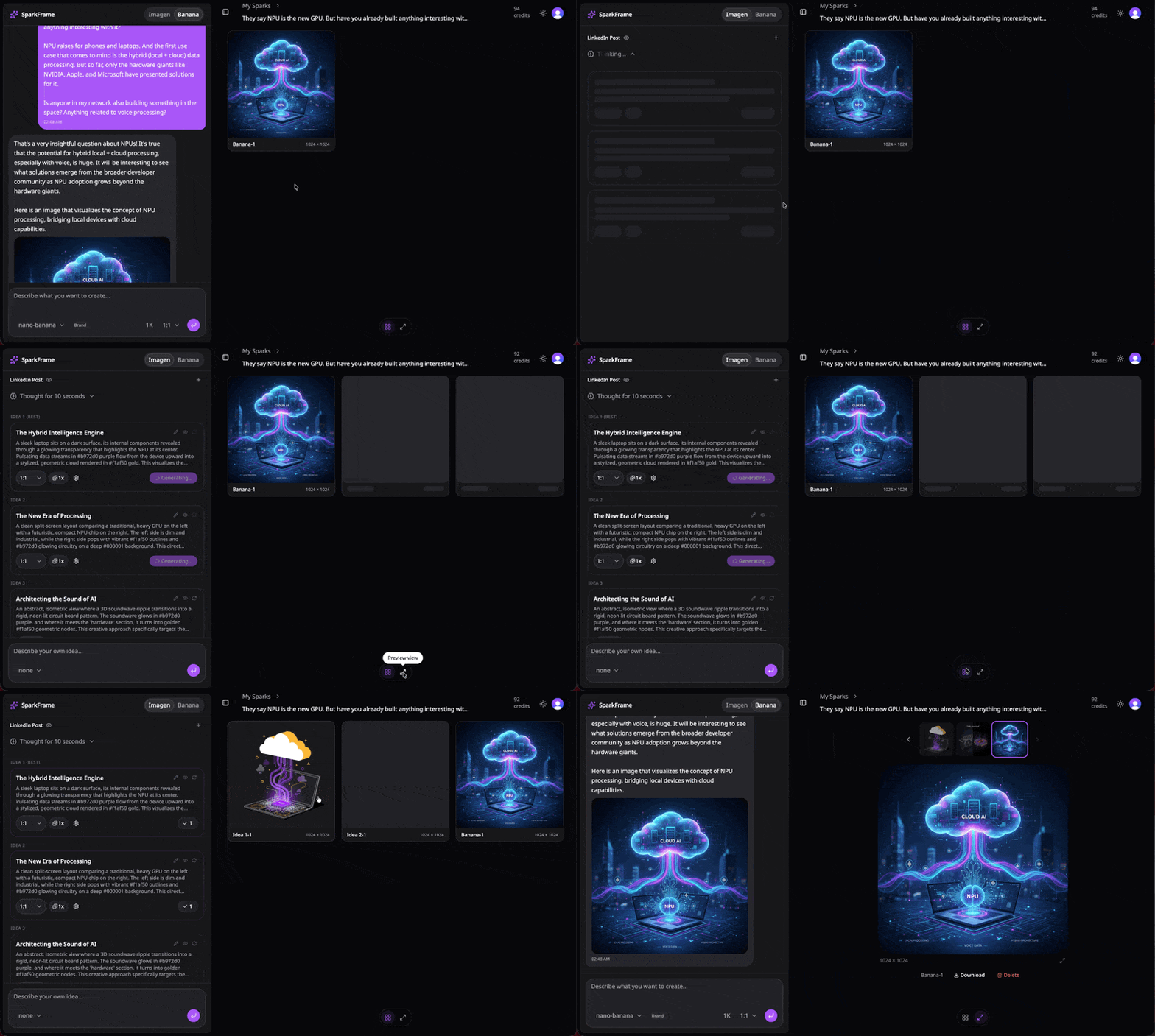
- Two stable image-generation pipelines: a fast single-shot pipeline and an iterative chat pipeline
- Toggle between pipelines mid-workflow — not happy with what you started? Switch without losing your session
- Brand presets and user preferences — save colour palettes, logos, and defaults once
- Database wired up — your work now persists across sessions and devices
- Sticky headers and workspace controls throughout the UI — less scrolling back and forth
From landing page to full app
SparkFrame graduates from a standalone landing page to a signed-in workspace. This is also the release where we renamed the product — originally SparkPost, changed to avoid a namespace collision with an existing email service.
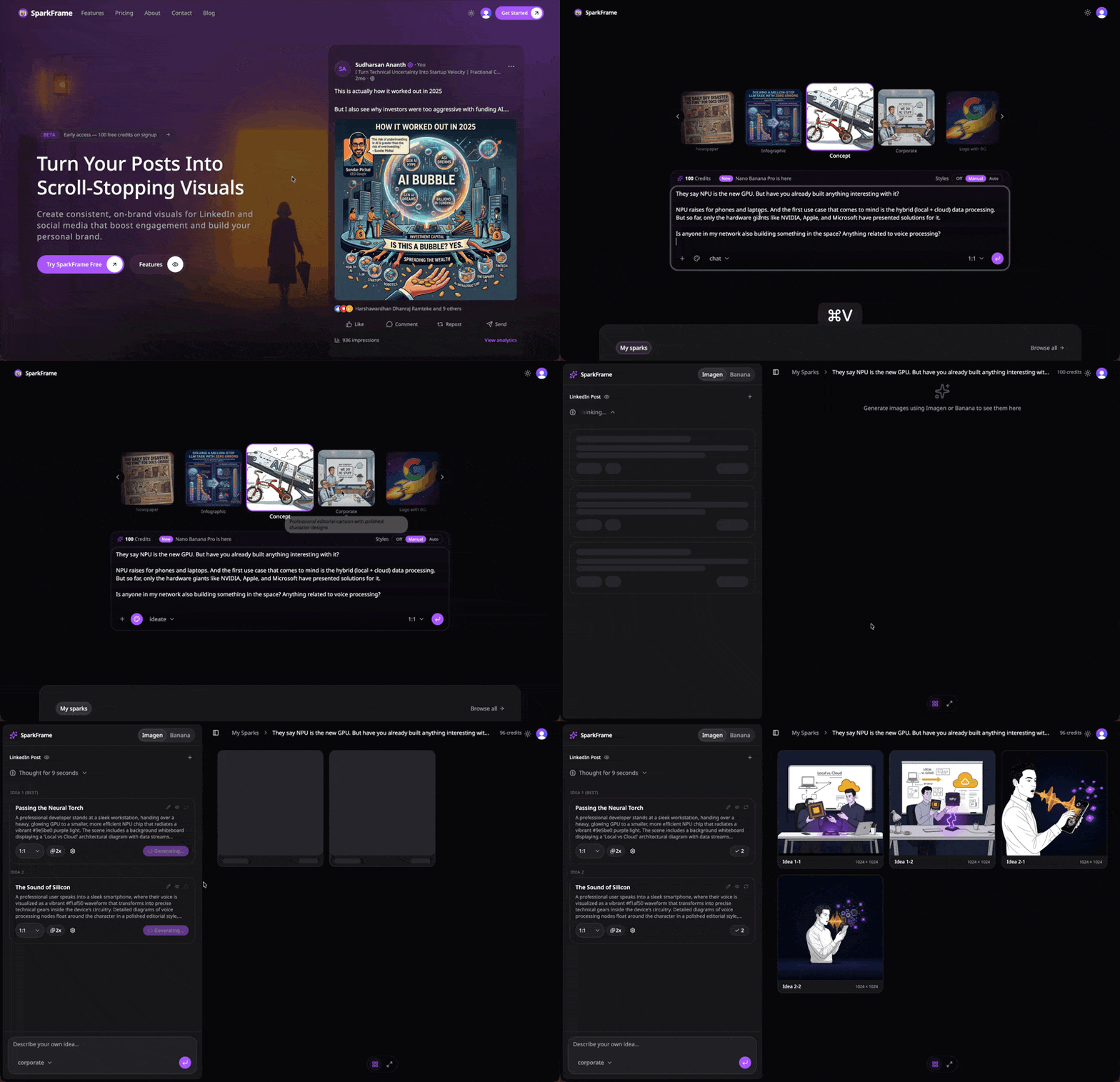
- Signed-in workspace — create, save, and revisit generations
- Style modes (off / manual / auto) for consistent visual output
- Real-time reasoning trace — watch the AI think while it generates
Landing page & early beta
The first public milestone — a landing page plus an early look at what SparkFrame would become.
- Public landing page
- First pass at the image-generation UI — both pipelines in early beta
- Ten visual style presets — pick a vibe, get consistent output
Questions about releases

Hey, I'm Sudu. SparkFrame is a one-person operation — I design, code, and ship every release here. It's a product under Sparkable, the studio I run. If a feature feels off or a bug bites you, there's a good chance I'll be the one replying.